Purpose and performance
Choose gaming, everyday office work, productivity, or another intended use. Describe the programs and games you want to run so compatible parts can be discussed.
Choose your PC components and services below, review your custom build, then send your request for a quote.
Customize & Request This ServiceBack to Home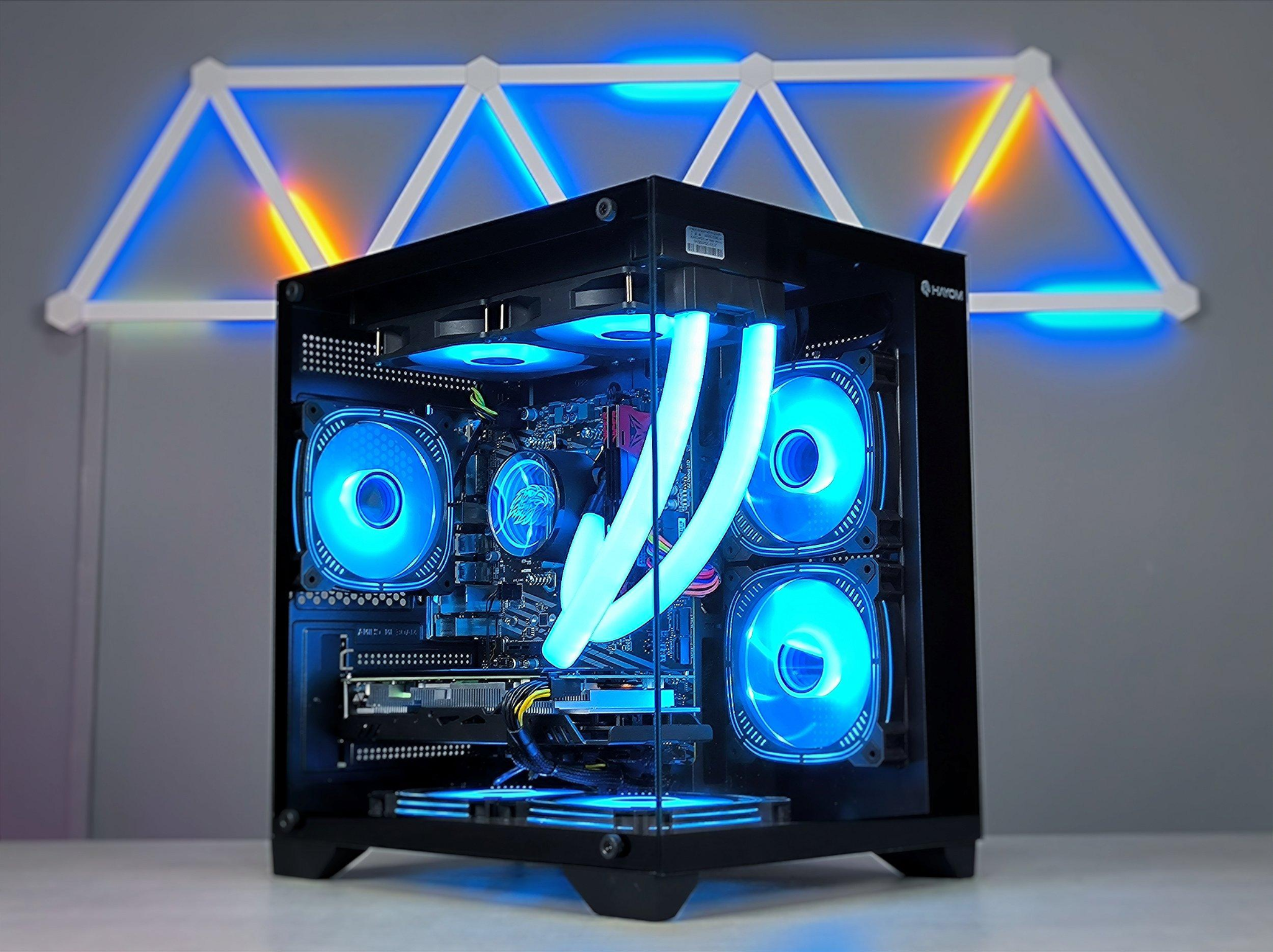
Choose the options you want. This is a project request, not an automatic price or purchase. Customers provide equipment and parts; final labor, travel and any on-site estimate fees are confirmed before scheduling.
Email opens your email application with the selections filled in. Nothing is sent until you press Send in your email application. If email does not open, use Copy My Project Summary.
Review the options below before completing the request form. The existing selections and quote process remain unchanged.
Select a gaming PC or another intended use, such as home, office, creative work, or general computing, so recommendations can match your workload.
Choose a processor and graphics-card preference or request a recommendation. Select the memory configuration based on your needs and compatible hardware.
Pick SSD capacity and any additional storage, plus the case size. Available space, cooling, motherboard fit, and component compatibility are reviewed before assembly.
Choose air cooling, RGB lighting, a minimal look, quiet operation, airflow preferences, or a black or white theme. Final choices depend on the selected components.
Request parts compatibility review, full assembly, BIOS/firmware setup, operating-system installation when licensed media is provided, driver updates, cable management, and basic testing.
Indicate whether you already have parts, choose an approximate parts budget, enter your location and contact information, and review the generated summary before emailing your request. Customers supply equipment and parts; no purchase is made through this form.
Choose gaming, everyday office work, productivity, or another intended use. Describe the programs and games you want to run so compatible parts can be discussed.
Select a processor preference, graphics-card preference, and memory amount or choose “Need recommendation.” The right combination depends on software requirements, available parts, budget, and compatibility.
Select SSD or HDD capacity, whether existing drives should be reused, and preferred case size. Physical dimensions, motherboard compatibility, cooling clearance, and power requirements must be checked.
Choose air cooling or other supported cooling preferences, RGB lighting, a minimal look, airflow priorities, and case color. Final choices depend on available compatible components.
Request full assembly, parts compatibility checking, BIOS or firmware setup, operating-system installation using customer-provided licensing, driver updates, testing, cable management, or upgrades.
Indicate whether you already have parts and your approximate parts budget. Kaustin Communication provides build and technical services; customers supply hardware and any required licenses. Quotes are confirmed before scheduling.
These explanations help you choose the right options in the project form above. Final scope, compatibility, equipment, and pricing are confirmed in your quote.
Select a gaming PC, everyday home computer, office/workstation, creative system, or another use case. The purpose helps guide recommendations for processing power, graphics, memory, storage, and cooling.
The processor handles the computer’s general calculations and workloads. Choose a preference or ask for a recommendation. A compatible motherboard, socket, memory type, power requirements, and cooling solution must be confirmed before assembly.
A dedicated GPU may be useful for gaming, 3D work, video editing, or other graphics-heavy applications. Some everyday and office builds can use integrated graphics. Choose a preference or request guidance based on the programs and games you use.
RAM affects how many programs and tasks the computer can handle comfortably at once. The right capacity depends on gaming, office work, content creation, or heavier workloads. Compatibility and available motherboard slots are checked during planning.
Select SSD capacity, additional storage, or whether you want to reuse existing drives. SSDs are commonly chosen for fast startup and program loading. If reusing a drive, note its type and whether files need to be backed up or transferred; data migration is confirmed separately.
Choose a case size and cooling preference. Case dimensions, graphics-card clearance, fan positions, cooler height, power-supply size, and airflow all affect component compatibility. Air cooling and compatible liquid cooling options can be discussed.
Choose RGB lighting, a minimal look, white or black components, quiet operation, or high-airflow priorities. Styling preferences are considered alongside compatibility, thermal performance, availability, and your budget.
Select the services you want quoted, such as parts compatibility review, full assembly, BIOS/firmware setup, operating-system installation when a valid license is supplied, drivers and updates, stress testing, benchmarks, and cable management. Exact included work is agreed before scheduling.
Indicate whether you already have all parts, some parts, or need recommendations. Include component models when possible and choose an approximate parts budget. Kaustin Communication provides assembly and technical services; customers purchase and supply equipment and parts.
Choose your purpose and component preferences, check the desired assembly services, enter your city or ZIP code, and add your contact details and any existing parts. Review the automatically generated project summary, then use the email-request button or copy the summary. This opens your email application; it does not submit an order or charge you.
After receiving your request, we can review compatibility, identify missing information, discuss the scope, and provide a quote. Labor, travel, operating-system licensing, and any other applicable charges are confirmed before work begins. On-site estimates start at $50; customers supply parts.
Learn what this service can include and what to expect when requesting a quote.
Request a gaming, home, office, workstation, or general-purpose PC. This helps determine suitable performance and component recommendations.
Select a CPU preference and graphics-card needs, or choose a recommendation when you are unsure. Compatibility is reviewed before a quote.
Specify RAM preferences, SSD or additional-drive options, and whether existing drives should be reused when compatible.
Choose case-size preferences, air cooling, RGB lighting, a quiet design, a black or white theme, and other style priorities.
Request parts compatibility review, complete assembly, BIOS or firmware setup, operating-system installation with a valid license, driver updates, stress testing, or cable management.
Tell us whether you already own parts, list your approximate parts budget, and describe the components you want installed. Customers supply or purchase their own parts.
The builder creates a written summary of your selections. Email your custom PC request, copy the summary, or reset your choices. Final compatibility, labor, and availability are confirmed by quote.
Tell us what you need, what equipment you already have, and where the project is located. We will discuss the job and provide a quote before scheduling.
Customers supply equipment and parts. On-site estimates start at $50, confirmed before scheduling. Travel charges may apply.
For now, the request button opens your email application. It does not claim to submit a website form.
This opens your email app with the details filled in. No message is sent until you press Send in your email app.